


Sago Mini World: Kids Games
3.83.28K Reviews
App Specs
- Version
- 8.9.1
- Updated On
- License
- Free
- Downloads
- 10,000,000+
- Developer
- Play Piknik
- Categories
- Educational
- Platform
- Android, iOS
Screenshots
 Analysis by AppCompare
Ever find yourself in the middle of a busy day, wishing you had something to entertain the little ones? Well, that's where Sago Mini World: Kids Games swoops in like a superhero. I recently had the chance to dive into this delightful app, and let me tell you, it's a treasure trove for kids.
First Impressions
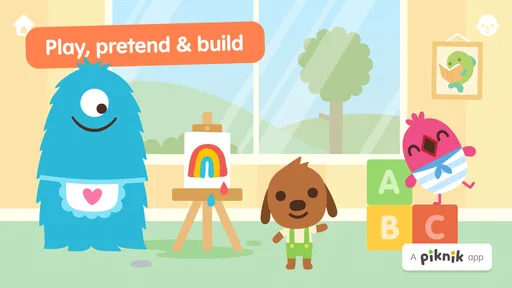
From the get-go, Sago Mini World greets you with vibrant colors and whimsical characters. It's like stepping into a cartoon wonderland. The interface is super intuitive—perfect for little fingers still mastering the art of swiping and tapping. The app opens up to a world map filled with different themed areas, each offering a unique set of games and activities.
Exploring the World
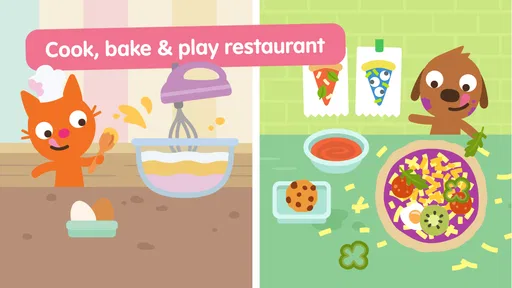
What makes this app stand out is its sheer variety. We're talking about over 35 games all rolled into one app! Each game is crafted around a different theme, from outer space adventures to underwater escapades. My personal favorite? The space theme, where kids can zoom around in rocket ships and meet alien friends.
The games are designed to be both fun and educational. Kids can enjoy activities that promote creativity, problem-solving, and even basic math skills. For instance, in one game, children help a character plant a garden, which subtly teaches them about plants and nature. It’s sneaky learning at its best!
Features Worth Mentioning
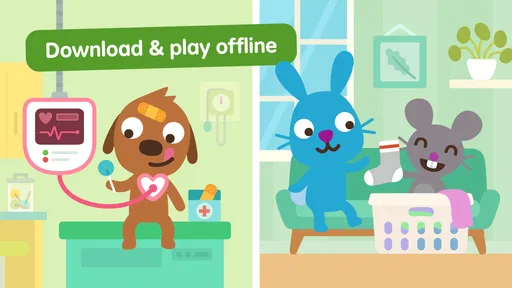
One of the standout features of Sago Mini World is its offline capability. Yep, you heard that right. Once you download the games, you can take them anywhere. Perfect for those long car rides or flights where Wi-Fi is as elusive as a unicorn.
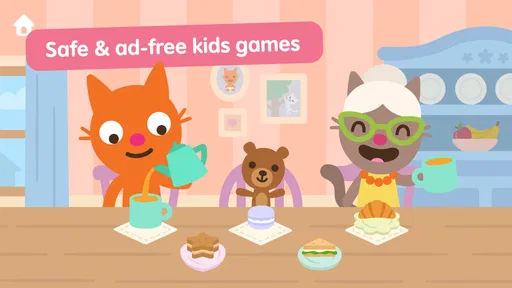
Another great feature is the parental control settings. You can easily manage what your child is playing, giving you peace of mind. Plus, the app is ad-free, so no unexpected interruptions or accidental purchases. Hallelujah!
Why Kids Love It
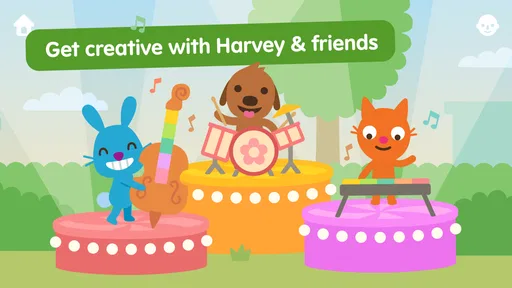
Let's talk about the characters. They're adorable, quirky, and downright lovable. From Jinja the cat to Harvey the dog, each character brings its own charm, making the games even more engaging. Kids can dress them up, play with them, and embark on adventures together.
Worth Reading Before You Choose

EA SPORTS FC Mobile 26 Is a Bigger Football Game, but It Takes Time

Flipboard Shows What News Apps Must Do Beyond the Feed

Switching to Android Auto Means Rethinking Your Driving Routine

Google Calendar Makes a Crowded Week Easier to Manage

Ludo King Makes the Most of the Minutes Between Plans

Baby Panda World Brings Quick Play to Modern Phones, but Its Game Library Feels Busy
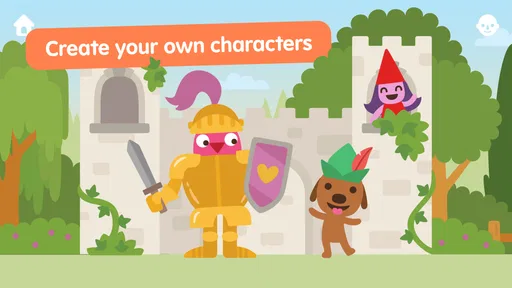
The app also encourages creativity. Kids can draw, build, and even create their own stories. It's like giving them a blank canvas and watching their imaginations run wild. Plus, the app's sound effects and music are top-notch, adding another layer of immersion to the experience.
Who Gets the Most Out of It
I see this as a particularly good fit for children who like to move between imaginative play and simple activities rather than repeat one narrow task. A toddler might enjoy tapping around with an adult nearby, while a preschooler may be more interested in choosing a character, exploring a setting, and making up a little story around what happens. The educational value is gentle, not lesson-like; I would treat it as playful screen time, not as a replacement for a structured learning app.
That distinction matters when choosing between this and the usual alternatives. A phonics or counting app is a better pick if your immediate goal is focused practice with letters or numbers. A single-purpose puzzle game can be easier for a child who becomes overwhelmed by lots of choices. This world-based collection is stronger when the goal is variety, pretend play, and a low-pressure activity that can hold a child’s interest in different ways.
Where Families May Get Stuck
The world map is inviting, but a young child may still need help deciding where to go. If your child taps around without settling, try offering two choices instead of asking them to pick from the whole map. That small prompt can turn browsing into a manageable activity without taking over the play. I would also let the child explore alongside you the first time, especially if they are not yet comfortable navigating apps on their own.
Another practical point is that a collection of activities can make it harder to judge how long a session will last. One game may lead naturally to another, so I find it useful to agree on a simple stopping point before handing over the device: finish the current activity, then put it away. This is more realistic than expecting a preschooler to stop instantly when they are absorbed in a story or character.
Getting Ready for a Smoother Session
Before relying on it during travel or while waiting for an appointment, I would open the app at home and check that the parts you want to use are ready. The store information describes the game as free, while also listing in-app purchases ranging from $0.99 to $79.99 per item, so an adult should review purchase settings on the device before giving it to a child. Ad-free play is welcome, but it is still sensible to keep purchase approval under adult control.
It is also worth checking the device’s compatibility before installing: the game requires Android 7.0 or later. The current version is 8.6, and Play Piknik is the developer. If you are setting it up on a shared phone or tablet, make sure the child is using the intended profile and that the device has enough available storage for the app and any content you plan to prepare. These basic checks can prevent a rushed setup from becoming the main event.
Recovering When Play Does Not Go to Plan
If the app seems stuck or a child cannot get back to the activity they wanted, I would first try the simple steps: return to the map, close and reopen the game, and check that the device itself is responding normally. If you are depending on offline play, test that arrangement before leaving home rather than discovering on a flight that the content you expected is not ready. A short trial run gives you time to adjust without a restless child waiting.
For a child who has lost interest, I would not assume the whole app is a poor fit. Try a different themed area or sit together and let the child choose the next activity. The appeal here comes partly from variety, but that can also mean an individual game will not suit every child. Some will want a clear objective; others will prefer open-ended character play. Watching which kind of activity holds attention is a better guide than insisting they explore every option.
When the Device, Not the Game, Is the Problem
Unexpected interruptions can come from ordinary device conditions rather than the game itself. A low battery, limited storage, an unstable connection during setup, or a device that needs restarting can all disrupt a planned session. I would check those basics before reinstalling anything, particularly if the app worked earlier. For an offline outing, charge the device, prepare the content in advance, and avoid making the first launch part of the journey.
Parents may also wonder whether it suits a child at the younger end of its audience. It is rated Everyone and is aimed at children from age two through six, but age alone cannot predict whether a child will navigate it happily. A two-year-old may need an adult close by to help choose and interpret activities; an older preschooler may be ready to explore more independently. I would judge by the child’s comfort with tapping, swiping, and moving between choices rather than expecting the same experience for every age.
Why Kids Love It
Let's talk about the characters. They're adorable, quirky, and downright lovable. From Jinja the cat to Harvey the dog, each character brings its own charm, making the games even more engaging. Kids can dress them up, play with them, and embark on adventures together.
The app also encourages creativity. Kids can draw, build, and even create their own stories. It's like giving them a blank canvas and watching their imaginations run wild. Plus, the app's sound effects and music are top-notch, adding another layer of immersion to the experience.
What the Store Numbers Tell Me
The game has a 3.6 average from around 46,000 ratings, with roughly 3,200 written reviews and more than 10 million installs. I would read that as evidence of a widely tried app, not a guarantee that every family will find it perfect. The rating is a useful reminder to approach it with realistic expectations: its broad mix of play may delight one child and feel less focused to another.
It is free to start, and the Everyone age rating makes its intended audience clear, but the listed purchase range is broad enough that I would not hand over a device without checking the purchase controls first. That does not cancel out the appeal of an ad-free experience; it simply means adults should make the setup choices before a child begins exploring.
Wrapping It Up
In a world where finding quality kids' apps can feel like looking for a needle in a haystack, Sago Mini World: Kids Games is a breath of fresh air. It's engaging, educational, and most importantly, fun. Whether you're a parent, grandparent, or just someone looking to keep your young relatives entertained, this app is a must-have.
So, if you're ready to embark on a whimsical journey with your little ones, give it a try. It's more than just an app—it's a portal to endless adventures and learning opportunities. Trust me, the kids will thank you, and you might just find yourself sneaking in a game or two!
Pros
- Engaging educational content for kids
- Vibrant and colorful graphics
- Ad-free experience ensures safety
- Frequent updates with new games
- Simple interface for easy navigation
Cons
- Requires subscription for full access
- May lack challenge for older kids
- Limited offline play options
- Large storage space needed
- In-app purchases can add up
FAQs for Sago Mini World: Kids Games
What age group is Sago Mini World: Kids Games suitable for?
Sago Mini World: Kids Games is designed for young children, typically aged 2 to 5 years. The app offers a safe and engaging environment with simple controls and age-appropriate content, making it suitable for preschoolers to explore their creativity and problem-solving skills through interactive play.
Is Sago Mini World safe for my child to use?
Yes, Sago Mini World is designed with safety in mind. The app is ad-free and free of in-app purchases, ensuring a secure experience for children. It also adheres to privacy standards, so parents can be confident that their child's information and interactions are protected.
Does Sago Mini World require an internet connection?
While an internet connection is needed to download the app and access new content updates, Sago Mini World can be played offline once the games are downloaded. This feature makes it convenient for travel or places where internet access is limited, ensuring continuous entertainment for your child.
Can multiple children use the same Sago Mini World account?
Yes, multiple children can enjoy Sago Mini World on the same device. The app does not require individual profiles, allowing siblings or friends to share the fun. However, progress and achievements are not separately tracked, which might be a consideration for some families.
What devices are compatible with Sago Mini World?
Sago Mini World is compatible with most iOS and Android devices. It requires iOS 9.0 or later for Apple devices and Android 4.4 or later for Android devices. Ensure your device meets these requirements for optimal performance and access to all available features.


